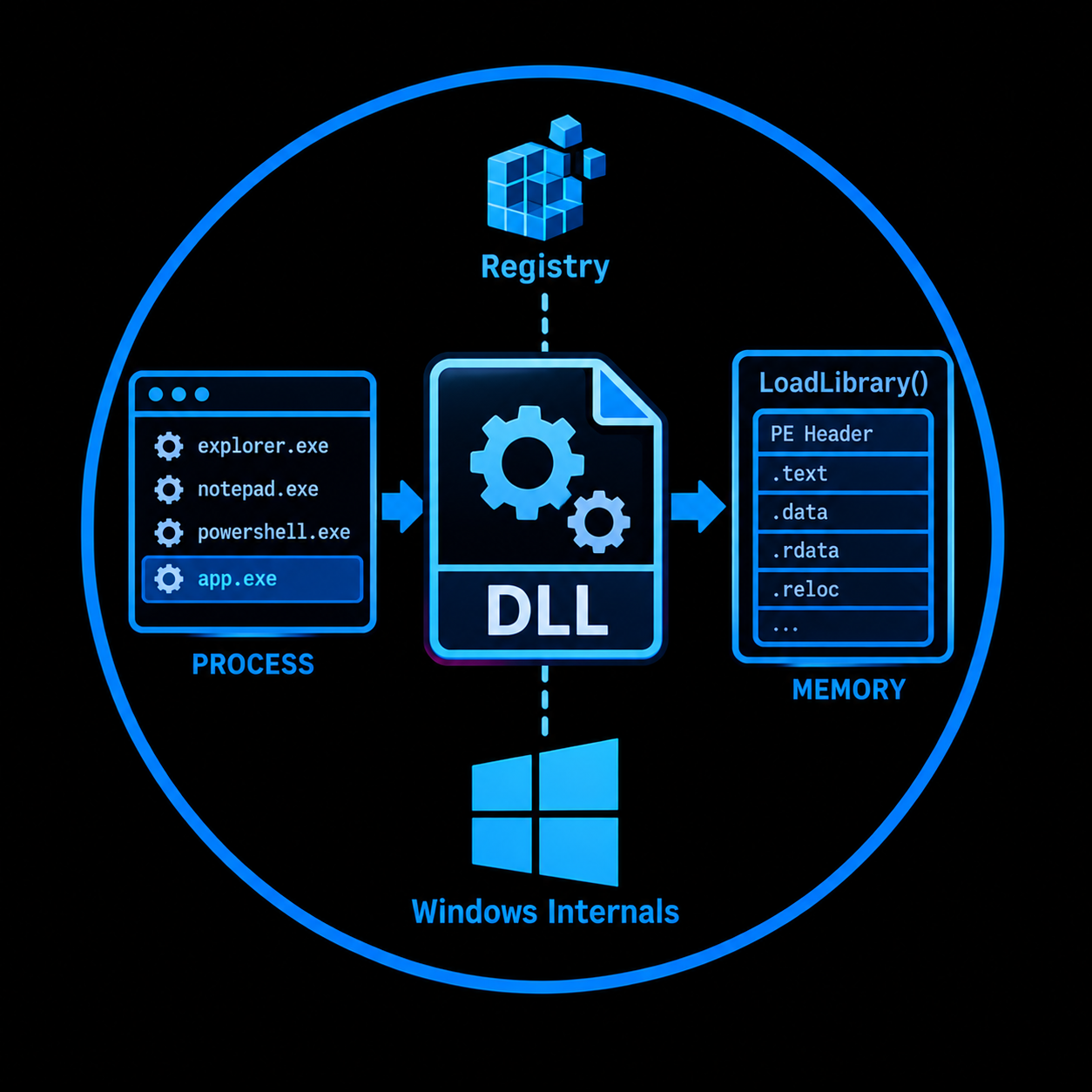
Windows Internals: Understanding DLLs from the Ground Up
What a Dynamic Link Library actually is under the hood, how Windows loads and resolves them, what the PE format looks like inside a DLL, and why all of this matters before you ever touch a DLL hijacking tool.
TL;DR
A Dynamic Link Library (DLL) is a Portable Executable (PE) file that contains code, data, and resources shared across multiple processes at runtime. Unlike statically linked libraries, DLLs are loaded into a process address space on demand, either when the process starts (implicit linking) or at any point during execution (explicit linking via LoadLibrary). The Windows API itself is implemented as a collection of DLLs (kernel32.dll, ntdll.dll, user32.dll, and others), which means every Windows process depends on dynamic linking. Understanding DLL internals, from the PE headers to the loader search order, is a prerequisite for techniques like DLL hijacking, side loading, proxying, and injection. This post covers the fundamentals with references to the official Microsoft PE specification and Win32 documentation.
- Platform: Windows
- Relevant to: DLL Hijacking (T1574.001), DLL Side Loading (T1574.002), DLL Search Order Hijacking (T1574.001), DLL Injection (T1055.001)
Introduction
Most offensive security resources jump straight into DLL hijacking commands without explaining what a DLL actually is, how the Windows loader resolves it, or what structures inside the file make the entire mechanism work. This creates a gap: operators who can run tools but cannot explain why a technique succeeds, why it fails, or how to adapt when the default approach does not work.
This post fills that gap. It covers the foundational concepts behind Dynamic Link Libraries on Windows, starting from what problem they solve, moving through the PE file format that defines their structure, explaining how the operating system loads and initializes them, and ending with the DLL search order that underpins an entire class of offensive techniques.
Everything here is grounded in the official Microsoft PE/COFF specification and the Win32 API documentation. No RFC governs DLLs directly (they are a Windows implementation detail, not a network protocol), but the PE format specification published by Microsoft serves the same role as a normative reference for the file structure.
Static linking vs dynamic linking
Before understanding DLLs, it is worth understanding what they replaced.
In static linking, the linker copies all the code from a library (.lib file) directly into the final executable at compile time. The resulting binary is self contained: it carries every function it needs inside itself. This works, but it has consequences. If ten applications use the same string manipulation functions, all ten carry their own identical copy of that code. When the library is updated to fix a bug, every application must be recompiled and redistributed.
Dynamic linking solves both problems. Instead of copying library code into the executable, the linker includes only enough information for the operating system to locate and load the library at runtime. The actual code lives in a separate file (the DLL), and the OS maps it into the process address space when needed.
Static Linking                        Dynamic Linking

 ┌─────────────┐                      ┌─────────────┐
 │ Application │                      │ Application │
 │             │                      │             │
 │ ┌─────────┐ │                      │  Import     │
 │ │ Library │ │                      │  Table      │───────┐
 │ │  Code   │ │                      │             │       │
 │ │ (copy)  │ │                      └─────────────┘       │
 │ └─────────┘ │                                            │
 │             │                      ┌─────────────┐       │
 └─────────────┘                      │   DLL       │◄──────┘
                                      │             │
 Single binary contains               │ Shared code │
 everything. No external              │ loaded once │
 dependency at runtime.               │ in memory   │
                                      └─────────────┘
                                       Mapped into each
                                       process that needs it.
Microsoft's documentation describes it this way: a DLL is a module that contains functions and data that can be used by another module (application or DLL). DLLs provide a way to modularize applications so that their functionality can be updated and reused more easily. They also reduce memory overhead because, although each application receives its own copy of the DLL's data, all applications share the same DLL code pages in physical memory.
The entire Windows API is implemented this way. When a program calls CreateFile, ReadFile, or VirtualAlloc, it is calling functions exported by kernel32.dll (which itself forwards many calls to ntdll.dll). This means every Windows process, without exception, uses dynamic linking.
What is a DLL
A DLL is a file in the Portable Executable (PE) format that the Windows loader can map into a process address space. Structurally, a DLL is almost identical to an EXE. Both share the same PE format, the same headers, the same section layout. The differences are:
| Property | EXE | DLL |
|---|---|---|
IMAGE_FILE_DLL flag in COFF header | Not set (0x0002 for IMAGE_FILE_EXECUTABLE_IMAGE) | Set (0x2000) |
| Entry point | Mandatory (the program's main or WinMain) | Optional (DllMain, can be absent) |
| Can be run directly | Yes | No (must be loaded by another process) |
| Exports functions | Rarely | Typically (the entire purpose) |
Default ImageBase | 0x00400000 | 0x10000000 |
The critical distinction at the binary level is a single flag: IMAGE_FILE_DLL (value 0x2000) in the Characteristics field of the COFF file header. When this flag is set, the loader treats the file as a library rather than a standalone executable.
A DLL can define two kinds of functions:
Exported functions are intended to be called by other modules. They appear in the DLL's Export Table and can be resolved by name or by ordinal number. When another program wants to call a function from the DLL, it references the export.
Internal functions are used only within the DLL itself. They do not appear in the Export Table and cannot be called from outside. From the perspective of an attacker analyzing a DLL, internal functions exist in the code but are not directly reachable through the standard loading mechanisms.
The PE format: how a DLL is structured on disk
Both DLLs and EXEs use the Portable Executable format, specified in Microsoft's PE/COFF specification. The name "Portable Executable" refers to the fact that the format is not architecture specific: the same structural layout applies whether the target is x86, x64, ARM, or ARM64.
The high level layout of a PE file looks like this:
┌──────────────────────────────────────┐  Offset 0x00
│         DOS Header (MZ)              │
│  "MZ" magic: 0x4D 0x5A               │
│  e_lfanew at offset 0x3C ───────────────┐
├──────────────────────────────────────┤   │
│         DOS Stub                     │   │
│  "This program cannot be run         │   │
│   in DOS mode."                      │   │
├──────────────────────────────────────┤◄──┘
│         PE Signature                 │
│  "PE\0\0" (0x50 0x45 0x00 0x00)      │
├──────────────────────────────────────┤
│         COFF File Header             │
│  Machine, NumberOfSections,          │
│  Characteristics (IMAGE_FILE_DLL)    │
├──────────────────────────────────────┤
│         Optional Header              │
│  Magic (PE32 or PE32+)               │
│  AddressOfEntryPoint (DllMain)       │
│  ImageBase (default 0x10000000)      │
│  Data Directories:                   │
│    Export Table ─────────────────────────► Exported functions
│    Import Table ─────────────────────────► Dependencies on other DLLs
│    ...                               │
├──────────────────────────────────────┤
│         Section Headers              │
│  .text  (code)                       │
│  .rdata (read only data, exports)    │
│  .data  (writable data)              │
│  .rsrc  (resources)                  │
│  .reloc (base relocations)           │
├──────────────────────────────────────┤
│         Section Data                 │
│  Actual code, data, resources        │
└──────────────────────────────────────┘
DOS Header and DOS Stub
Every PE file begins with a legacy DOS header. The first two bytes are the ASCII characters MZ (0x4D 0x5A), the initials of Mark Zbikowski, one of the original developers of MS-DOS. This header exists for backward compatibility: if someone tries to run the file under DOS, the stub prints "This program cannot be run in DOS mode" and exits.
The important field in the DOS header is e_lfanew at offset 0x3C. This 4 byte value contains the file offset to the PE signature. The Windows loader reads this offset, jumps to that position, and starts parsing the actual PE headers.
PE Signature
At the offset specified by e_lfanew, the loader expects to find the 4 byte PE signature: PE\0\0 (0x50 0x45 0x00 0x00). If this signature is not present, the file is not a valid PE image.
COFF File Header
Immediately after the PE signature, the COFF file header contains basic information about the file:
| Field | Size | Description |
|---|---|---|
Machine | 2 bytes | Target architecture (0x8664 for x64, 0x14C for x86, 0xAA64 for ARM64) |
NumberOfSections | 2 bytes | How many sections follow the headers |
TimeDateStamp | 4 bytes | When the file was compiled |
SizeOfOptionalHeader | 2 bytes | Size of the Optional Header that follows |
Characteristics | 2 bytes | Flags describing the file. IMAGE_FILE_DLL (0x2000) is what marks the file as a DLL |
Optional Header
Despite its name, the Optional Header is mandatory for image files (EXEs and DLLs). It is "optional" only in the sense that COFF object files (.obj) can omit it. For DLLs, this header contains critical loading information.
Key fields relevant to DLLs:
Magic: Determines whether this is a PE32 (0x10B, 32 bit) or PE32+ (0x20B, 64 bit) image.
AddressOfEntryPoint: The RVA (Relative Virtual Address) of the entry point function. For a DLL, this points to DllMain if one exists. The PE specification explicitly states that an entry point is optional for DLLs: "When no entry point is present, this field must be zero."
ImageBase: The preferred virtual address where the DLL should be loaded. The default for DLLs is 0x10000000. If this address is already occupied (another DLL is loaded there), the loader relocates the DLL to a different address using the base relocation table (.reloc section).
DllCharacteristics: Flags that control security properties. The most important modern flag is IMAGE_DLLCHARACTERISTICS_DYNAMIC_BASE (0x0040), which enables Address Space Layout Randomization (ASLR). When this flag is set, the loader intentionally loads the DLL at a randomized address rather than its preferred ImageBase, making exploitation techniques that rely on predictable addresses significantly harder. Most modern DLLs compiled with Visual Studio have this flag set by default.
Data Directories: An array of address/size pairs pointing to important tables within the file. The two most relevant for understanding DLLs are the Export Table (where exported functions are listed) and the Import Table (where the DLL's own dependencies are recorded).
Sections
After the headers, the PE file contains sections. Each section has an 8 byte name, a virtual address, a size, and flags indicating its properties (readable, writable, executable). Common sections in a DLL include:
| Section | Purpose | Typical Flags |
|---|---|---|
.text | Executable code | Read, Execute |
.rdata | Read only data, export table, import descriptors | Read |
.data | Writable global and static data | Read, Write |
.rsrc | Resources (icons, strings, version info) | Read |
.reloc | Base relocation table (needed when ImageBase is unavailable) | Read, Discardable |
The Export Table
The Export Table is what makes a DLL useful. It lists all the functions and data that the DLL makes available to other modules. Each export can be identified by:
Name: A string like CreateFileW. Other modules reference the function by this name.
Ordinal: A numeric index. Some DLLs export functions by ordinal only (no name), which makes reverse engineering harder but is functionally equivalent.
Address: The RVA of the function within the DLL.
Forwarded exports are a special case. Instead of pointing to code inside the DLL, a forwarded export redirects to a function in another DLL. For example, many exports in kernel32.dll are forwarded to kernelbase.dll. When you run dumpbin /EXPORTS kernel32.dll, forwarded entries show a string like KERNELBASE.CreateFileW instead of an RVA. The loader follows the forwarding chain and resolves the function in the target DLL. This mechanism is how Microsoft refactored the Win32 API internally without breaking compatibility.
You can inspect a DLL's exports using several tools:
:: Using dumpbin (ships with Visual Studio)
dumpbin /EXPORTS C:\Windows\System32\kernel32.dll
# Using PowerShell (Get-PEHeader from the PowerShellArsenal module)
Get-PEHeader C:\Windows\System32\kernel32.dll | Select-Object -ExpandProperty Exports
# On Linux with pefile
import pefile

pe = pefile.PE("kernel32.dll")
for exp in pe.DIRECTORY_ENTRY_EXPORT.symbols:
    if exp.name:
        print(exp.name)
The Import Table
The Import Table records which external DLLs and functions this module depends on. When the loader maps the DLL into memory, it reads the Import Table, loads each dependency, and resolves the function addresses. This is the mechanism behind implicit linking (described in the next section).
Each entry in the Import Table contains:
- The name of the imported DLL (e.g.,
KERNEL32.dll) - A list of function names or ordinals that are imported from it
- The Import Address Table (IAT), which the loader fills with the actual runtime addresses
The IAT is particularly interesting from an offensive perspective. After the loader resolves all imports, the IAT contains the actual memory addresses of every imported function. Overwriting an entry in the IAT is a classic code injection technique (IAT hooking).
How DLLs are loaded: implicit vs explicit linking
Windows supports two distinct mechanisms for loading DLLs into a process.
Implicit linking (load time)
With implicit linking, the application declares its DLL dependencies at compile time. The developer links against an import library (.lib file) that contains stubs for the DLL's functions. When the process starts, the Windows loader reads the executable's Import Table, loads every required DLL, resolves all function addresses, and writes them into the IAT before the application's code begins executing.
If the loader cannot find a required DLL or cannot resolve a required function, the process fails to start entirely. The user sees an error like "The program can't start because example.dll was not found."
Process Startup (Implicit Linking)

 Application.exe starts
        │
        ▼
 Loader reads Import Table
        │
        ├──► Needs kernel32.dll
        │       │
        │       ▼
        │    Loaded ✓ (always present)
        │
        ├──► Needs custom.dll
        │       │
        │       ▼
        │    Search order begins...
        │       │
        │       ├── Application directory?
        │       ├── System directory?
        │       ├── Windows directory?
        │       └── PATH directories?
        │
        ▼
 All DLLs found → Resolve IAT → Execute
 Any DLL missing → Process fails to start
Explicit linking (run time)
With explicit linking, the application loads a DLL manually at any point during execution by calling LoadLibrary or LoadLibraryEx. After loading, the application calls GetProcAddress to obtain a function pointer to a specific export, then calls the function through that pointer.
// Explicit linking example
HMODULE hDll = LoadLibrary("helper.dll");

if (hDll != NULL) {
    // Get a pointer to the exported function
    typedef int (*DoWorkFunc)(int);
    DoWorkFunc DoWork = (DoWorkFunc)GetProcAddress(hDll, "DoWork");

    if (DoWork != NULL) {
        int result = DoWork(42);
    }

    FreeLibrary(hDll);
}
With explicit linking, a missing DLL does not crash the process. The application can check whether LoadLibrary returned NULL and handle the failure gracefully. This makes explicit linking useful for optional features and plugin architectures.
From an offensive perspective, LoadLibrary is the function at the center of most DLL based attacks. DLL hijacking, DLL side loading, and DLL injection all ultimately rely on getting the loader (or a call to LoadLibrary) to load a file controlled by the attacker.
DllMain: the entry point
When a DLL is loaded into a process, the system calls its entry point function. By convention this function is named DllMain, although the PE specification does not enforce the name. The function receives a reason code indicating why it was called.
BOOL WINAPI DllMain(
    HINSTANCE hinstDLL,   // Handle to the DLL module (its base address)
    DWORD     fdwReason,  // Reason for calling the function
    LPVOID    lpvReserved // Reserved
);
The fdwReason parameter tells the DLL why it is being called:
| Value | Constant | Meaning |
|---|---|---|
| 1 | DLL_PROCESS_ATTACH | The DLL is being loaded into a process (process startup or LoadLibrary call) |
| 0 | DLL_PROCESS_DETACH | The DLL is being unloaded (process termination or FreeLibrary call) |
| 2 | DLL_THREAD_ATTACH | A new thread is being created in the process |
| 3 | DLL_THREAD_DETACH | A thread is exiting cleanly |
DLL_PROCESS_ATTACH is the most important from an offensive perspective. When a malicious DLL is loaded (via hijacking, side loading, or injection), the code inside the DLL_PROCESS_ATTACH case executes immediately, in the context of the loading process, before the application even realizes something unexpected happened.
Restrictions inside DllMain
Microsoft's documentation explicitly warns about severe restrictions on what can safely be done inside DllMain. During DllMain, the loader lock is held. This is a process wide critical section that serializes DLL loading operations. The consequences:
- Do not call
LoadLibraryorLoadLibraryExinsideDllMain. This can create circular dependencies and deadlocks. - Do not call functions from DLLs other than
kernel32.dll. Other DLLs may not be initialized yet. - Do not create threads that synchronize back with the loader.
- Do not use COM, the registry (beyond trivial reads), or the Windows Shell API.
Violating these restrictions can cause deadlocks, crashes, or undefined behavior that is extremely difficult to diagnose. For offensive tooling, this means a malicious DLL that does complex work in DllMain (like spawning a reverse shell with network calls) may hang or crash the target process. Well written offensive DLLs typically do minimal work in DllMain (such as spawning a new thread) and perform the actual payload execution in that separate thread after DllMain returns.
DllMain is optional
The PE specification states that an entry point is optional for DLLs. If AddressOfEntryPoint in the Optional Header is zero, the loader loads the DLL without calling any initialization function. Many simple DLLs that only export pure functions have no DllMain at all.
The DLL search order
When an application calls LoadLibrary("example.dll") without specifying a full path, the Windows loader must determine which file on disk to load. It does this by searching a sequence of directories in a defined order. This search order is the foundation of DLL hijacking attacks.
Safe DLL search mode (default)
Since Windows XP SP2, Safe DLL Search Mode is enabled by default. It moves the current working directory later in the search order to reduce the attack surface. When enabled, the standard search order for unpackaged applications is:
LoadLibrary("example.dll") is called
        │
        ▼
 1. DLL Redirection
        │  (manifest or .local file redirects to specific path)
        ▼
 2. API Sets
        │  (virtual DLL names mapped by the OS)
        ▼
 3. SxS Manifest Redirection
        │  (side by side assembly manifests)
        ▼
 4. Loaded Module List
        │  (DLL with same name already in memory?)
        ▼
 5. Known DLLs
        │  (HKLM\SYSTEM\CurrentControlSet\Control\
        │   Session Manager\KnownDLLs)
        ▼
 6. Application Directory
        │  (folder where the .exe lives)
        ▼
 7. System Directory
        │  (C:\Windows\System32)
        ▼
 8. 16-bit System Directory
        │  (C:\Windows\System)
        ▼
 9. Windows Directory
        │  (C:\Windows)
        ▼
10. Current Working Directory
        │
        ▼
11. PATH Environment Variable
        │  (each directory in order)
        ▼
 Not found → LoadLibrary returns NULL
When Safe DLL search mode is disabled
If Safe DLL Search Mode is disabled (via the SafeDllSearchMode registry value set to 0 under HKLM\System\CurrentControlSet\Control\Session Manager), the current working directory moves up to position 7, immediately after the application directory. This increases the attack surface because a DLL in the current directory would be loaded before the system directory copy.
Known DLLs
The Known DLLs mechanism is a protection against hijacking of critical system libraries. DLLs listed in the registry key HKLM\SYSTEM\CurrentControlSet\Control\Session Manager\KnownDLLs are always loaded from the system directory, regardless of where a copy might exist in the search path. You can inspect this list:
reg query "HKLM\SYSTEM\CurrentControlSet\Control\Session Manager\KnownDLLs"
DLLs on this list (such as kernel32.dll, ntdll.dll, user32.dll, advapi32.dll) cannot be hijacked through the standard search order. The loader resolves them before checking the application directory or any other location.
Why this matters for offensive security
The search order creates attack opportunities whenever:
- An application loads a DLL by name only (no full path)
- That DLL is not in the Known DLLs list
- The attacker can write a file to a directory that appears earlier in the search order than the legitimate DLL's location
For example, if an application in C:\Program Files\VulnApp\app.exe calls LoadLibrary("helper.dll") and the real helper.dll lives in C:\Windows\System32, an attacker who can write to C:\Program Files\VulnApp\ can place a malicious helper.dll there. The application directory (step 6) is searched before the system directory (step 7), so the attacker's DLL is loaded instead.
This is the mechanism behind DLL Search Order Hijacking. Related techniques like DLL Side Loading, Phantom DLL Hijacking, and DLL Proxying all build on this foundation.
DLLs and memory management
Understanding how DLLs interact with process memory is important for both offensive and defensive work.
When a process loads a DLL, the loader maps the DLL file into the process's virtual address space. The key behavior documented by Microsoft:
Code pages are shared: The .text section (executable code) is mapped as copy on write and shared across all processes that load the same DLL. If ten processes load kernel32.dll, there is only one copy of kernel32.dll's code in physical memory. This is one of the primary advantages of dynamic linking.
Data pages are private: Each process gets its own copy of the DLL's data sections (.data, .bss). Global variables inside a DLL are per process, not shared. This prevents one process from corrupting another's state.
Stack and heap belong to the caller: An exported DLL function runs on the calling thread's stack and allocates memory from the calling process's heap. The DLL does not have its own stack or heap.
Reference counting: The system maintains a per process reference count for each loaded DLL. Each LoadLibrary call increments the count; each FreeLibrary decrements it. The DLL is unloaded from the process when the count reaches zero.
Process A                     Physical Memory              Process B
┌──────────────┐                                           ┌──────────────┐
│ Virtual Addr │              ┌──────────────┐             │ Virtual Addr │
│              │              │              │             │              │
│ kernel32.dll │──────────────│ kernel32.dll │─────────────│ kernel32.dll │
│   .text      │   shared     │   .text      │   shared    │   .text      │
│              │              │  (one copy)  │             │              │
│ kernel32.dll │              └──────────────┘             │ kernel32.dll │
│   .data      │  private                       private    │   .data      │
│  (copy A)    │                                           │  (copy B)    │
│              │                                           │              │
└──────────────┘                                           └──────────────┘
Common system DLLs
The following DLLs form the core of the Windows API. Recognizing them helps during analysis, debugging, and understanding process behavior:
| DLL | Purpose |
|---|---|
ntdll.dll | Native API layer. Provides system call stubs that transition from user mode to kernel mode. Lowest level user mode DLL. |
kernel32.dll | Core Win32 API: process and thread management, memory, file I/O, synchronization. Forwards many calls to ntdll.dll. |
kernelbase.dll | Contains the actual implementation of many functions that kernel32.dll exports (since Windows 7). kernel32.dll forwards to it. |
user32.dll | Window management, message handling, user interface. |
gdi32.dll | Graphics Device Interface: drawing, fonts, bitmaps. |
advapi32.dll | Advanced Windows API: registry, security, service management, event logging. |
combase.dll / ole32.dll | COM (Component Object Model) infrastructure. |
ws2_32.dll | Winsock 2 networking API. |
crypt32.dll | Cryptographic functions, certificate handling. |
msvcrt.dll | C Runtime Library for Windows. |
shell32.dll | Windows Shell API: file operations, shortcut management. |
All of these are in the Known DLLs list and are loaded from System32 regardless of the search order.
Inspecting DLLs in practice
Several tools allow inspection of a DLL's PE structure, exports, imports, and properties.
dumpbin (Visual Studio)
:: View exports
dumpbin /EXPORTS C:\Windows\System32\kernel32.dll

:: View imports
dumpbin /IMPORTS C:\Windows\System32\kernel32.dll

:: View all headers
dumpbin /HEADERS C:\Windows\System32\kernel32.dll
PowerShell
# List all DLLs loaded by a running process
Get-Process -Name notepad | Select-Object -ExpandProperty Modules |
    Format-Table ModuleName, FileName, BaseAddress

# Check if a file is a DLL by reading the PE header Characteristics field
[System.Reflection.Assembly]::LoadFile("C:\path\to\file.dll")
CFF Explorer / PE-bear
GUI tools for browsing PE structures. Useful for visually inspecting the DOS header, COFF header, Optional Header, sections, Import Table, Export Table, and Data Directories.
Python with pefile
import pefile

pe = pefile.PE("example.dll")

# Check if it is a DLL
is_dll = bool(pe.FILE_HEADER.Characteristics & 0x2000)
print(f"Is DLL: {is_dll}")

# List exports
if hasattr(pe, 'DIRECTORY_ENTRY_EXPORT'):
    for exp in pe.DIRECTORY_ENTRY_EXPORT.symbols:
        print(f"  Ordinal: {exp.ordinal}, Name: {exp.name}, Address: {hex(exp.address)}")

# List imports
if hasattr(pe, 'DIRECTORY_ENTRY_IMPORT'):
    for entry in pe.DIRECTORY_ENTRY_IMPORT:
        print(f"\n  {entry.dll.decode()}")
        for imp in entry.imports:
            print(f"    {imp.name}")
Process Monitor (ProcMon)
Process Monitor from Sysinternals can trace every LoadLibrary call a process makes, showing which directories were searched and which DLL was ultimately loaded. This is invaluable for identifying DLL hijacking opportunities: filter on Operation = CreateFile, Path ends with .dll, and Result = NAME NOT FOUND. Every "NAME NOT FOUND" entry represents a DLL that the process tried to load but could not find. If the search path includes a writable directory, that is a potential hijacking target.
Why this matters for offensive security
Every DLL based offensive technique builds on the concepts covered in this post:
DLL Search Order Hijacking exploits the fact that the loader checks the application directory before the system directory. Place a malicious DLL in the application directory, and it is loaded instead of the legitimate one.
DLL Side Loading takes advantage of the same search order but the attacker brings a legitimate signed executable alongside the malicious DLL. The signed process loads the DLL, executing the attacker's code inside a trusted process.
DLL Proxying builds on the Export Table: the malicious DLL exports the same functions as the original, forwarding calls to the legitimate DLL while executing attacker code. Without understanding exports, ordinals, and how the Import Table resolves functions, building a working proxy DLL is guesswork.
DLL Injection uses LoadLibrary as the primitive: CreateRemoteThread in the target process with LoadLibrary as the thread start routine and the path to the attacker's DLL as the argument. Reflective DLL injection goes further by implementing the loader's job manually: parsing the PE headers, mapping sections, resolving imports, applying relocations, and calling DllMain, all from memory without touching disk.
IAT Hooking targets the Import Address Table directly: after the loader fills the IAT with resolved function addresses, an attacker overwrites specific entries to redirect function calls to their own code.
None of these techniques can be understood, adapted, or troubleshot without understanding what a DLL is, how the PE format structures its internals, and how the Windows loader resolves and initializes it.
References
- Microsoft PE/COFF Specification — PE Format — learn.microsoft.com
- Microsoft Docs — Dynamic-Link Libraries — learn.microsoft.com
- Microsoft Docs — About Dynamic-Link Libraries — learn.microsoft.com
- Microsoft Docs — Dynamic-Link Library Search Order — learn.microsoft.com
- Microsoft Docs — DllMain Entry Point — learn.microsoft.com
- Microsoft Docs — Dynamic-Link Library Security — learn.microsoft.com
- Microsoft Docs — Dynamic-Link Library Best Practices — learn.microsoft.com
- MSRC Blog — Load Library Safely — msrc.microsoft.com
- MITRE ATT&CK T1574.001 — Hijack Execution Flow: DLL Search Order Hijacking — attack.mitre.org
- MITRE ATT&CK T1574.002 — Hijack Execution Flow: DLL Side Loading — attack.mitre.org
- MITRE ATT&CK T1055.001 — Process Injection: Dynamic-link Library Injection — attack.mitre.org